
“I never imagined I could produce a better looking report in minutes,
than the one I had been laboring an hour to create by hand.”
— Robert Gibb, Personal Training Director, The Arbutus Club
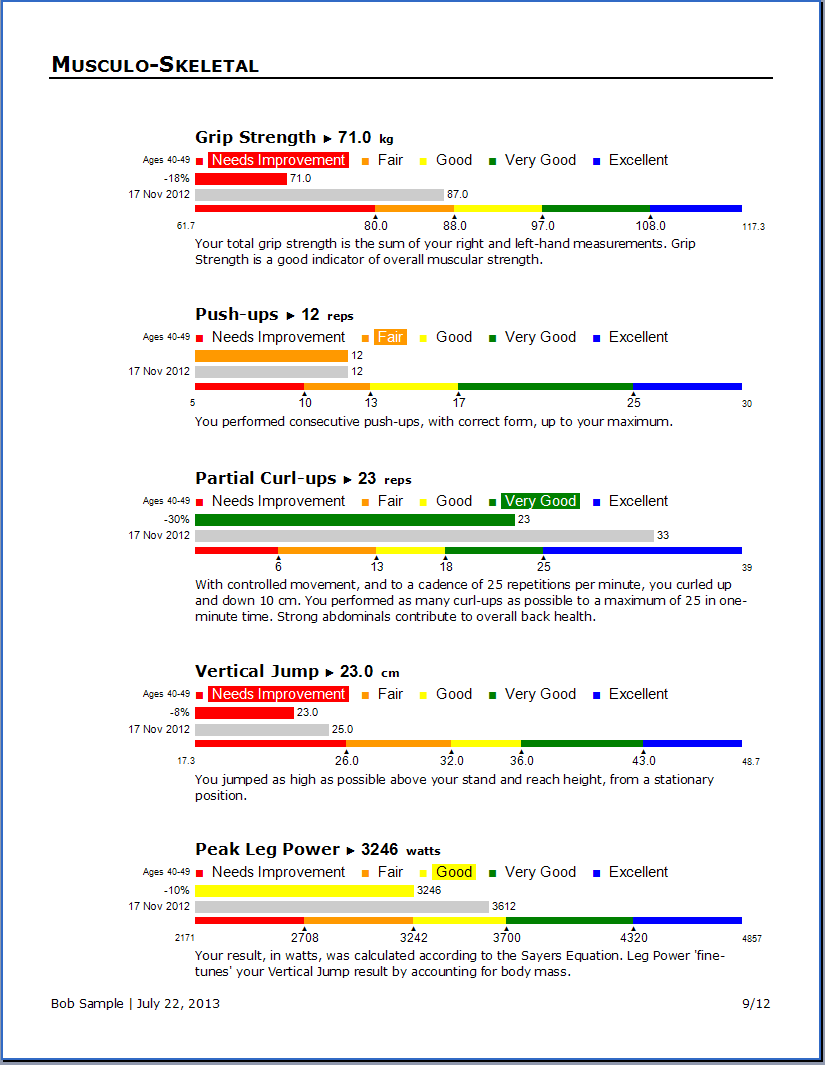
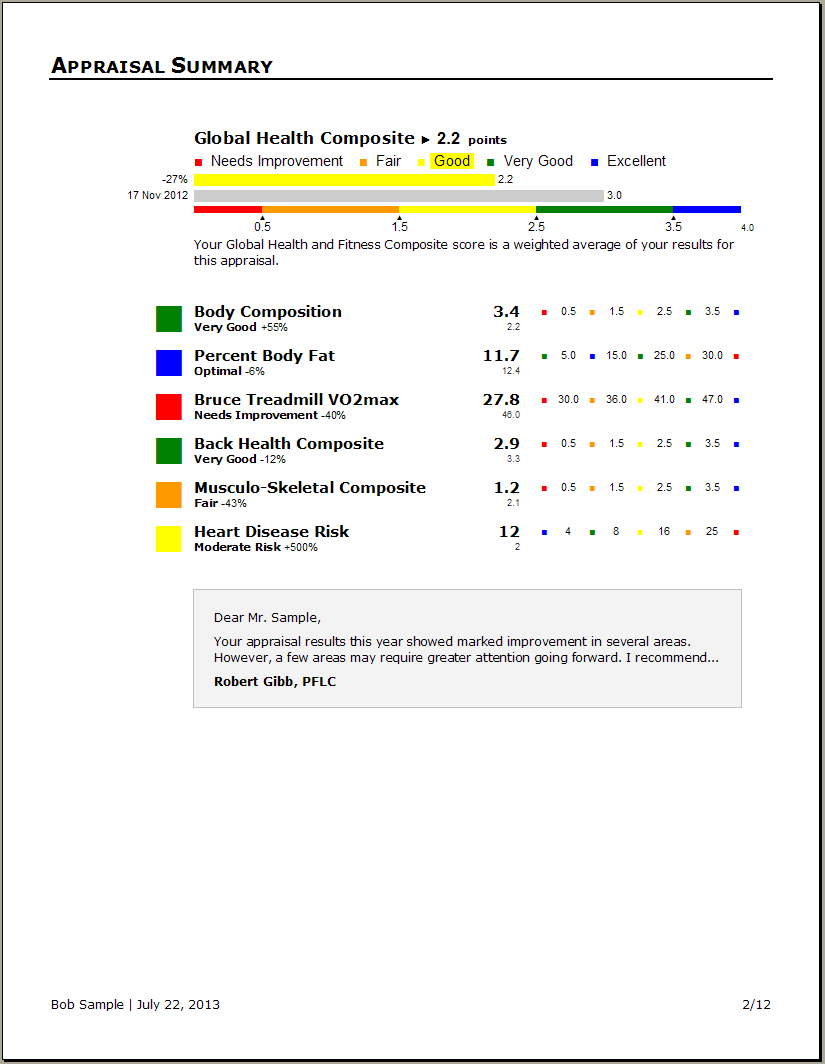
- ✓ Fitness assessment reports.
- ✓ Medical evaluation reports.
- ✓ Group statistical reports.
- ✓ Exercise program worksheets.
Turn health appraisal data into beautiful, customizable, Microsoft Word® reports.
Turn health appraisal data into beautiful, customizable, Microsoft Word® reports.
Health Reporter works with your copy of Microsoft Word to give you complete control over the design and content of your health appraisal reports and exercise program worksheets.
Go to Pricing and DownloadFree for your first 3 clients.
“
I am a sports performance coach with my masters in biomechanics and I run an athletic performance enhancement business in California.
I've been looking long and far for software like this… I've tested a bunch of other software programs and they are all junk…
Your software is extremely easy to use. The thing I love most is the way it can be manipulated for any setting.
Every fitness trainer does things a little bit differently. It'd be impossible to create a template for everyone's satisfaction.
You've made almost everything editable so anyone can manipulate it the way they want it.
”
— Kyle, Sports Performance Coach, California, USA
Who uses Health Reporter?
- ✓ Universities
- ✓ Health Clubs
- ✓ Recreation Centers
- ✓ Executive Medical Companies
- ✓ Corporate Wellness Departments
- ✓ Police & Fire Departments
- ✓ Athletic Coaches
- ✓ Personal Trainers
In short, Health Reporter is used by those who need to produce appraisal reports quickly, but still have the reports look like they came from their organization, specifically for their clients.
Download a sample health appraisal report

“ First off, let me say that your software is fantastic!!! ”
— Martin, Education Administration Officer, Australia
Why Health Reporter? The reports, of course!
Health Reporter is the health and fitness industry's most flexible reporting software.
It lets you create the report you want because you, rather than the software,
decide how the report should look.
And this flexibility extends throughout the software. You can add unlimited tests, formulas, or questionnaire scoring systems, as well as edit the properties of any of the many included tests.
But once you set up your template, and add any tests of your own, Health Reporter is very fast to work with. It handles all the tasks that make appraisal reports so time consuming to produce by hand: looking up normative data, resolving formulas, creating graphics… And to speed things up even more, you can begin new appraisals or programs with saved selections of tests or exercises, called “Presets”.
Health Reporter gives you the best of both worlds — automation, so you can work quickly and accurately, and customization, so you can present a report that you're truly proud of.
People tend to keep their health evaluations… for years.
Long after the assessment, the report you delivered will still be
speaking to your client — reminding them of the professionalism
of your services. Make sure it's saying the right things!
Skinfolds |
Body Fat Formulas |
Anthropometry |
Cardio-Pulmonary |
Aerobic Capacity |
|
Triceps
|
Jackson_Pollock 7-site
|
Height (cm/inches)
|
Systolic Blood Pressure
|
ACSM Maximal Treadmill
|
Girths |
Flexibility & Endurance |
Strength & Power |
Medical |
Aerobic Capacity |
|
Waist
|
Partial Curl-ups
|
Grip Strength
|
Total Cholesterol
|
Leger 20-meter Shuttle Run
|
“ I've been playing with the Health Reporter 5 beta you sent me and I have to say I'm pleased. I like its ease of use…Thank you for great exercise evaluation software, and continue your good work! ”
— Pier-Olivier, Montréal, Canada
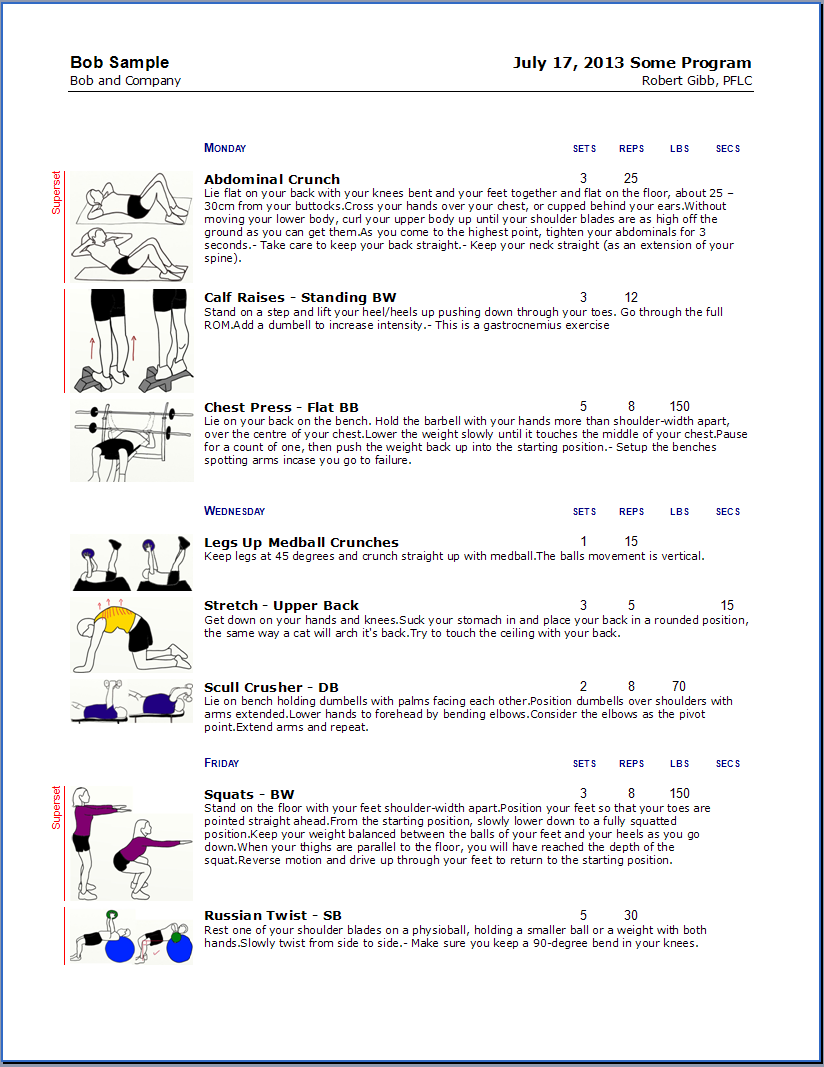
Do exercise programs work like health appraisals?
Producing exercise program worksheets is even easier than appraisal reports because you don't need to create
a report template first. Health Reporter includes pre-made exercise program worksheet templates (which you can customize).
Here are the three steps to create an exercise program worksheet:
- Click the exercises that should make up the program.
- Add exercise prescriptions (sets, reps, lbs, etc.)
- Select a template to build the Microsoft Word worksheet.
Does Health Reporter come with exercise illustrations?
You can download a starter set of 50 common exercise illustrations and descriptions
— directly from the software — for free.
Another 600 exercise illustrations are available for purchase. But you can also add any number of your own exercises. Adding an exercise image is just a simple, copy and paste procedure.
“ Sure do LOVE the software. It's making a big difference in how we do business. ”
— Brendan, Manitoba, Canada
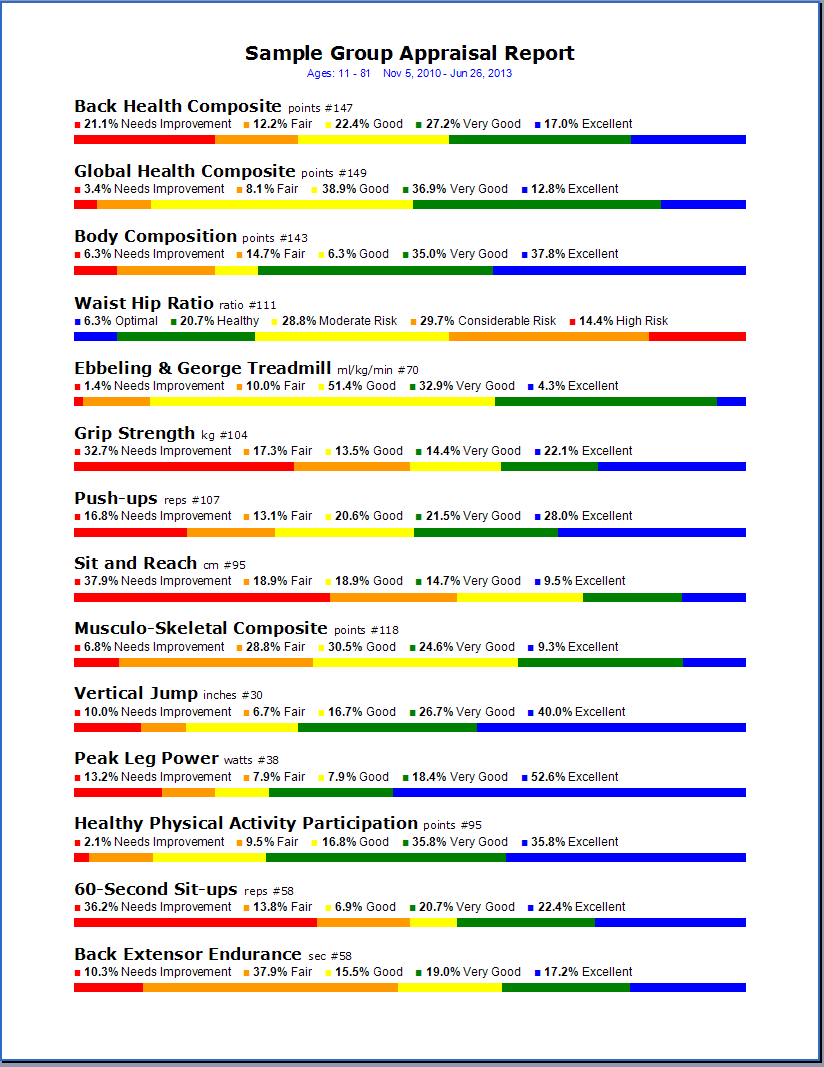
How do group reports work?
With Health Reporter group reports, you can either summarize the results for a group of assessments, or present
all individual test results for the members of a group in one, compact report.
A summarizing group report can very quickly answer questions like,
“How many of us scored in the 'Excellent' range for Push-ups?”, or
“What percentage of the group has high blood pressure?”
You create a group report in two steps:
Step 1: Select the group (by group name, age, gender, etc).
Step 2: Select a template to build the Microsoft Word report.
That's it.
Group reports can be anonymous.
For some organizations, group reports have an important advantage. They can present the overall
state of health for a group of individuals, without revealing each individual's test results.
Privacy is maintained.
“
Is there any chance this will be an iPhone or iPad app?
It really is the best fitness software I have ever used.
”
— T. Warren
Is Health Reporter easy to use?
Despite its customizability, Health Reporter remains relatively simple
for one reason: It lets Microsoft Word do the “heavy lifting”.
A Health Reporter template is just a standard MS Word document. The only difference is the special codes it contains to indicate where appraisal data should go. But the style and content is entirely under your control, in Microsoft Word, just like any Word document.
A conventional health and fitness application just can't give you the kind of layout and design control available in Microsoft Word. And Health Reporter doesn't either. It simply leverages the power of Word.
How do I order?
Health Reporter itself is free. You can use it, for as long as you like, with up to five clients.
When you're ready, you can add more capacity, and you do that directly from the software:
- Under the Settings tab, click the client capacity button.
- On the order page, choose the number of clients you want to add.
- Optionally, you can add exercise collections to your order.
- Enter your credit card information, and press the order button.
As soon as your credit card is approved, your client capacity is increased and your exercise collections are available for download.
Customer Support. 604.222.2114
Health Reporter customers receive free, unlimited support… forever.
Software updates — including new versions — are always free as well.
Watch the Health Reporter Video Tutorials